Get a free Google review QR sticker in 10 seconds
Paste your business’s Google Maps link and download a print-ready PDF sticker. Free, no card, no sign-up needed for the sticker
✓ Found: . Is this your business?
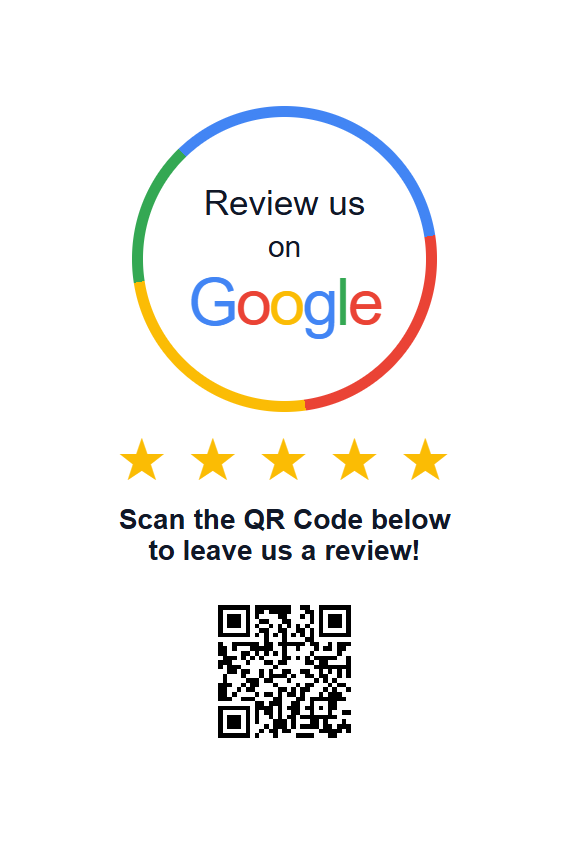
Typical ‘Leave us a review’ sticker with QR code
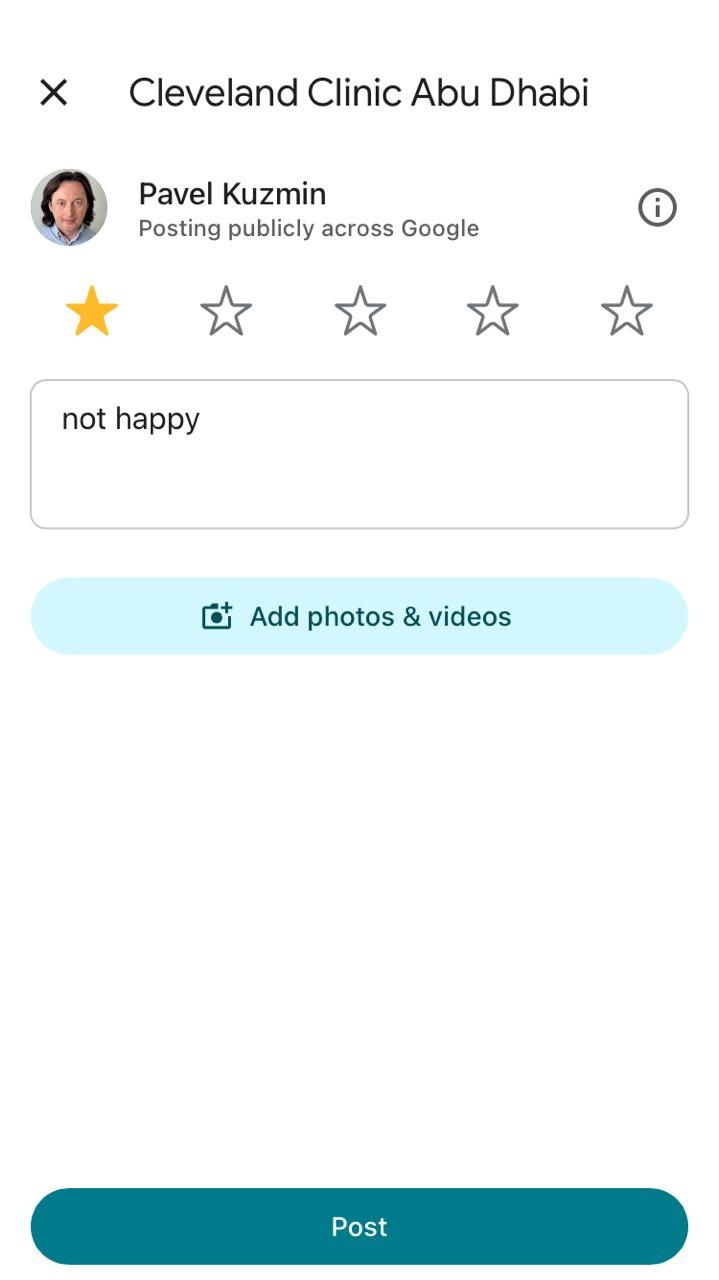
Ordinary Google review stickers collect feedback of all your clients, including people who are actually not happy about the service. Feedmic gives you several additional benefits
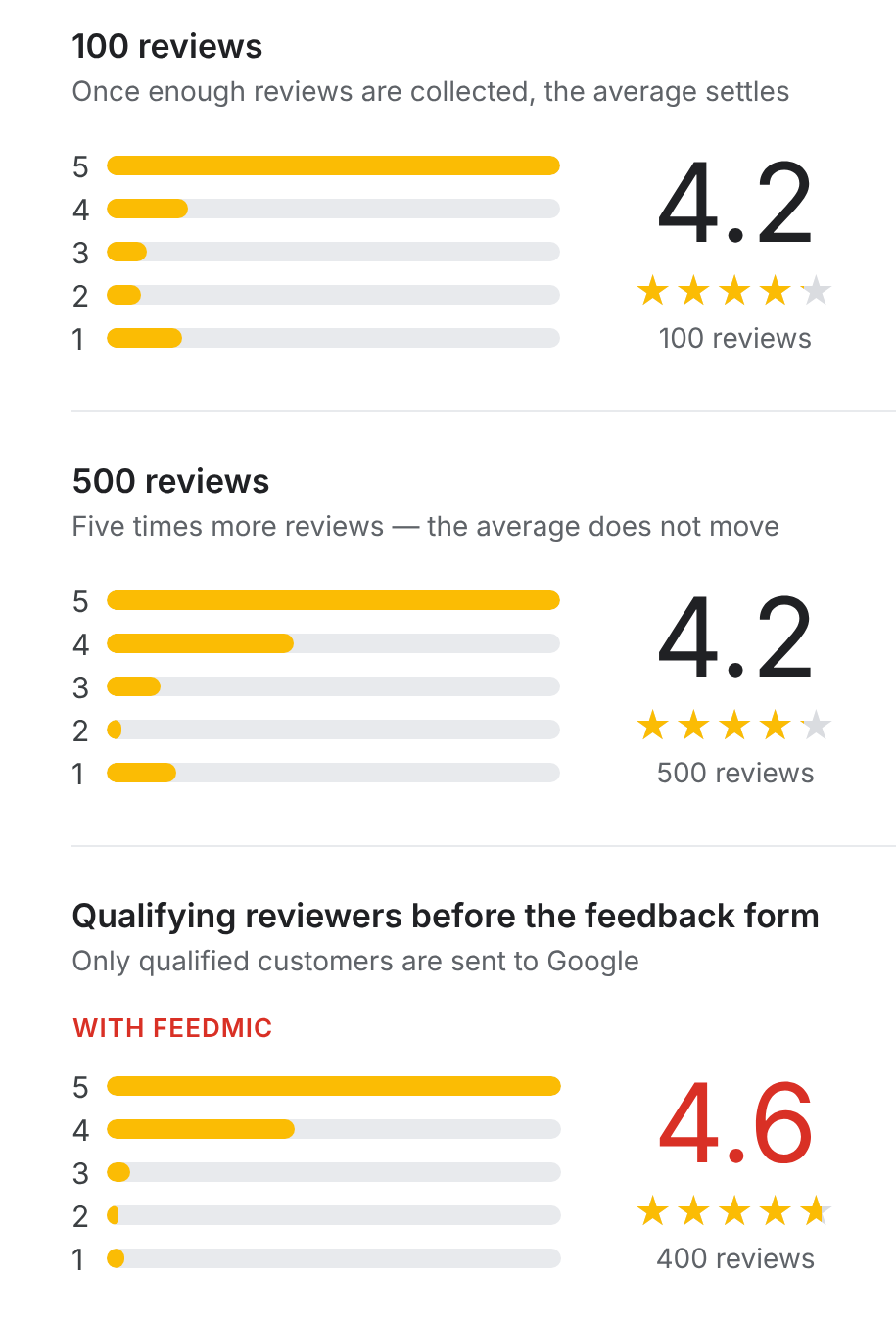
A plain QR code won’t move your star rating
A standard “Leave us a review” sticker sends every client straight to Google, whatever their experience was. Once you have enough reviews, your average settles and stays there. More reviews alone rarely change it.
To raise your rating, you need to fix what makes clients unhappy and hear about it first.
And feedmic is the first and only solution that do it.
Hear every client – Fix problems before they go public
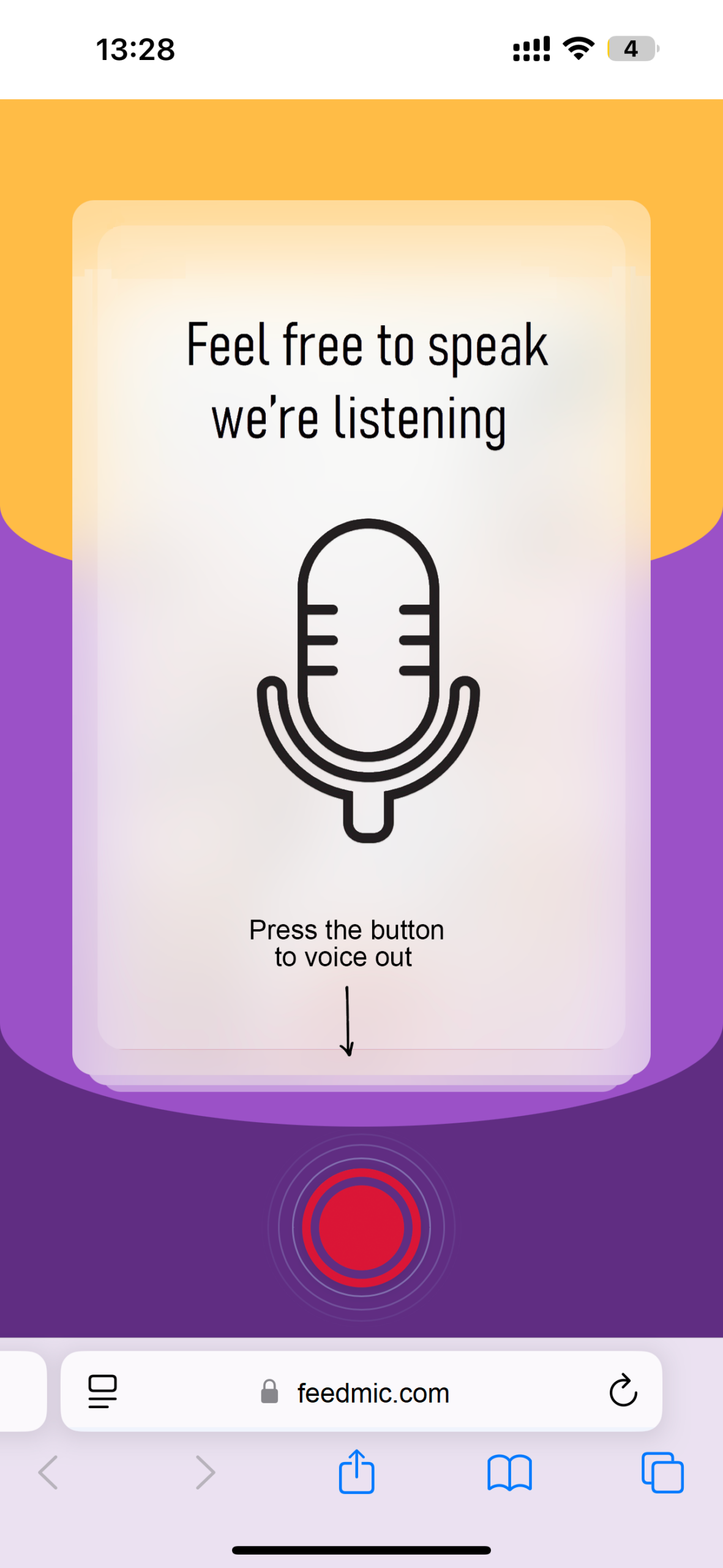
1. Clients scan your Feedmic sticker and leave feedback by voice. No typing, about 15 seconds.
2. AI transcribes it and reads the tone instantly, so you see what went well and what didn’t.
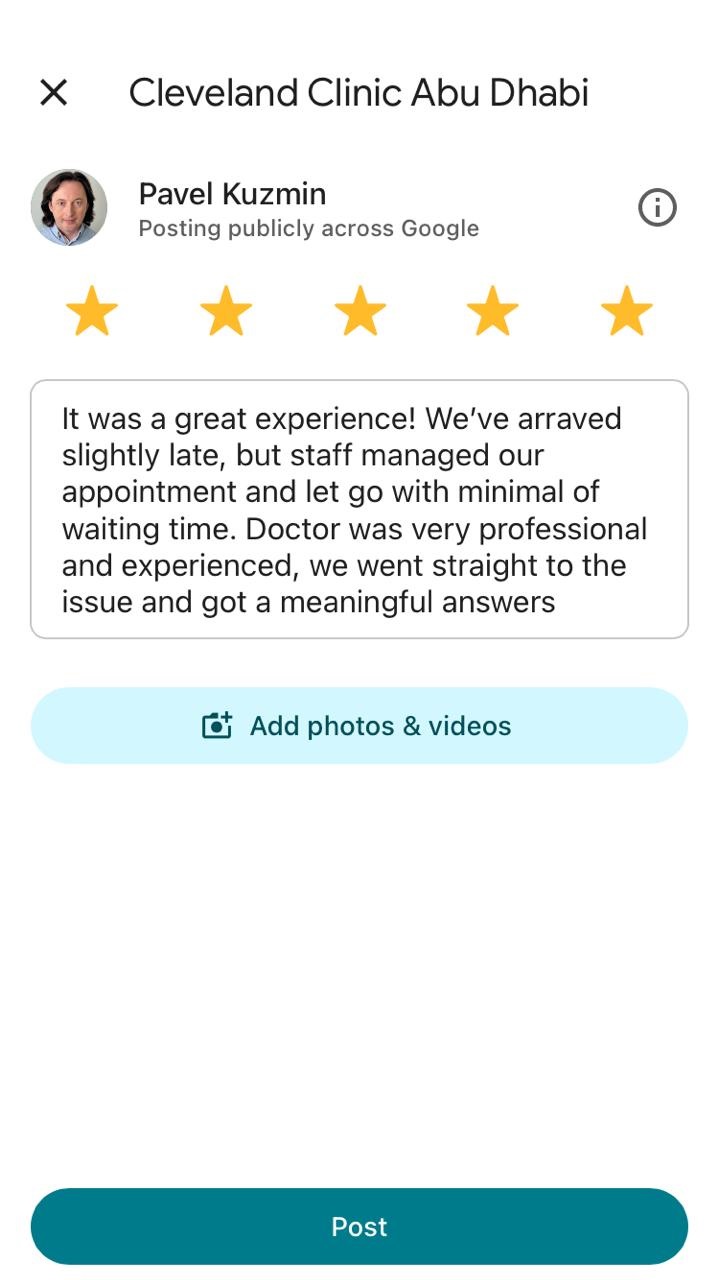
3. Satisfied clients are invited to post on Google in one tap.
4. Clients with a problem can leave their contact details, so you can make it right and follow up once it’s fixed.
You get honest feedback from everyone, and your fixes show up in your Google rating.
Where to find your Google Maps link
1. Open Google Maps and find your business. 2. Tap the round Share button, next to Directions. 3. Tap Copy link. 4. Paste the link into the feedmic box.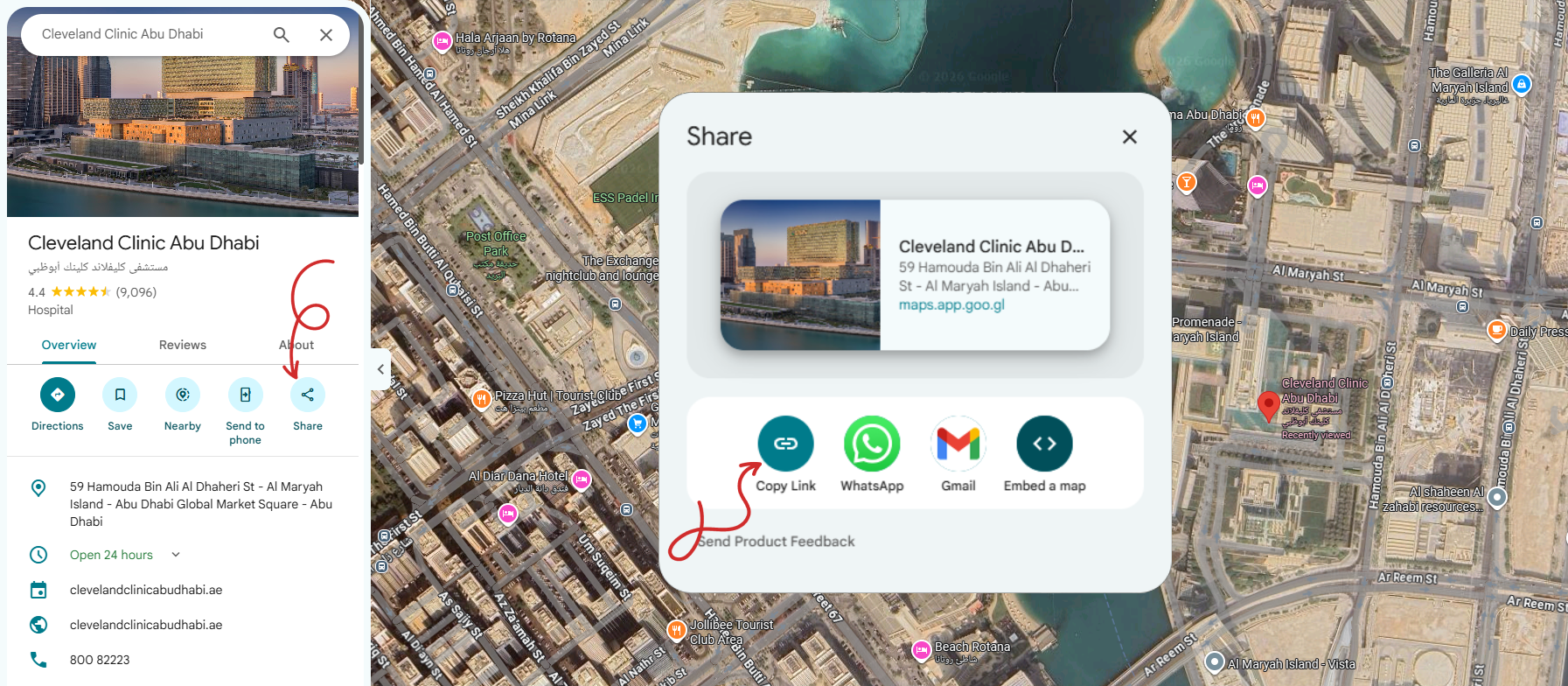
Get your free sticker now
Just paste your Google Maps link
✓ Found:

Terms of Use
Privacy Policy
About
Contacts